MailForge — HTML Email QA Workspace
Scope
A local desktop tool for authoring, previewing, validating, comparing, and exporting evidence about HTML email, designed and built independently, outside of any employer engagement.
Role
Independently designed, built, and tested MailForge end to end: architecture, validation engine, compatibility guidance, and QA workflows, including the fictional fixture used for these portfolio screenshots.
Interface evidence
- 281
- automated tests
- 36
- generic validation rules
- 14
- compatibility guidance rules
MailForge is a local-first desktop application for authoring, previewing, validating, comparing, and exporting evidence about HTML email. It was built independently, outside of any employer engagement, and not commissioned, endorsed, or produced for any client.
I built MailForge after seeing how fragmented HTML email QA can become across responsive previewing, accessibility checks, compatibility guidance, link validation, version comparison, and reporting. I wanted a single local workspace where I could inspect and validate email code without sending source content to a cloud service by default.
Author and preview
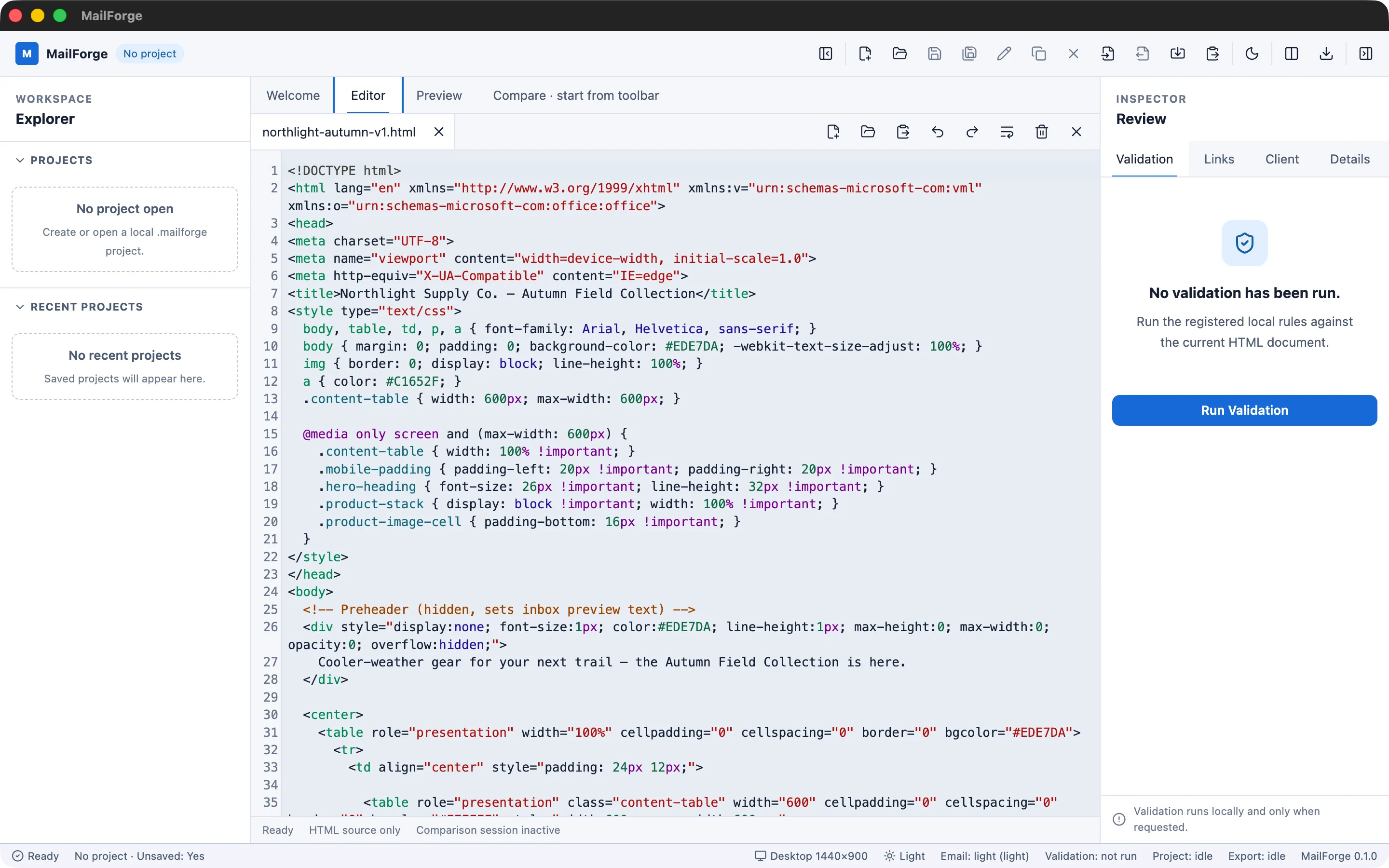
The Editor tab is a CodeMirror 6-based HTML editor (syntax highlighting, search, history, and bracket matching) paired with a Preview tab that renders the same document inside a sandboxed srcdoc iframe with an empty permission set and its own restrictive content-security policy. Editor and Preview are separate, mutually exclusive tabs rather than a split view, and the preview treats even the user’s own imported email HTML as untrusted content: no scripts, forms, or navigation are permitted inside it.
Responsive QA
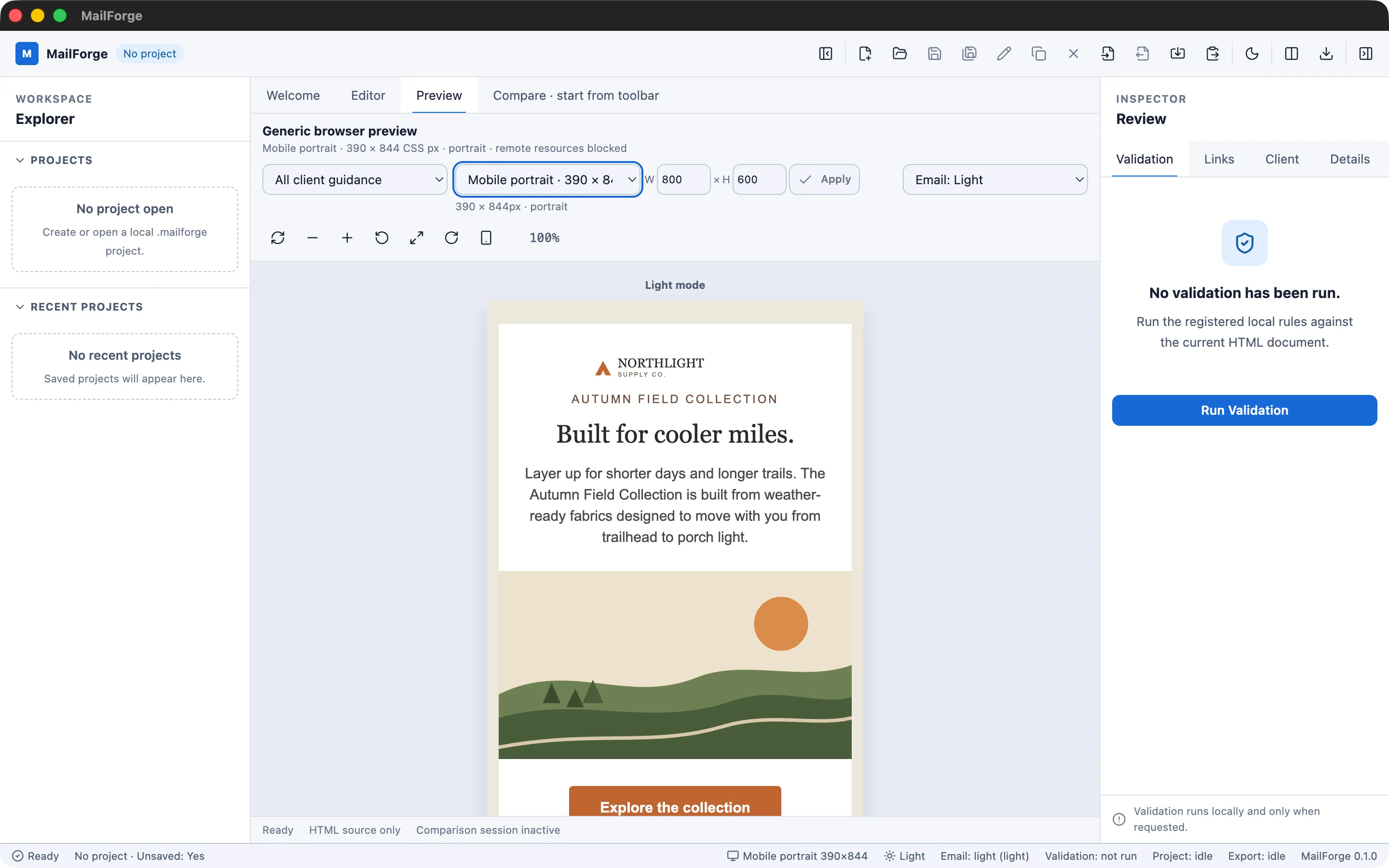
The preview supports five viewport presets (Desktop, Tablet portrait/landscape, Mobile portrait/landscape), custom dimensions from 240–2560px wide, orientation toggling, bounded zoom, and five color/preview modes (Light, Dark, System, side-by-side, and an approximate dark-mode inversion). This is the same reflow-and-inspect step that used to mean juggling several viewport sizes by hand.
Validation and compatibility guidance
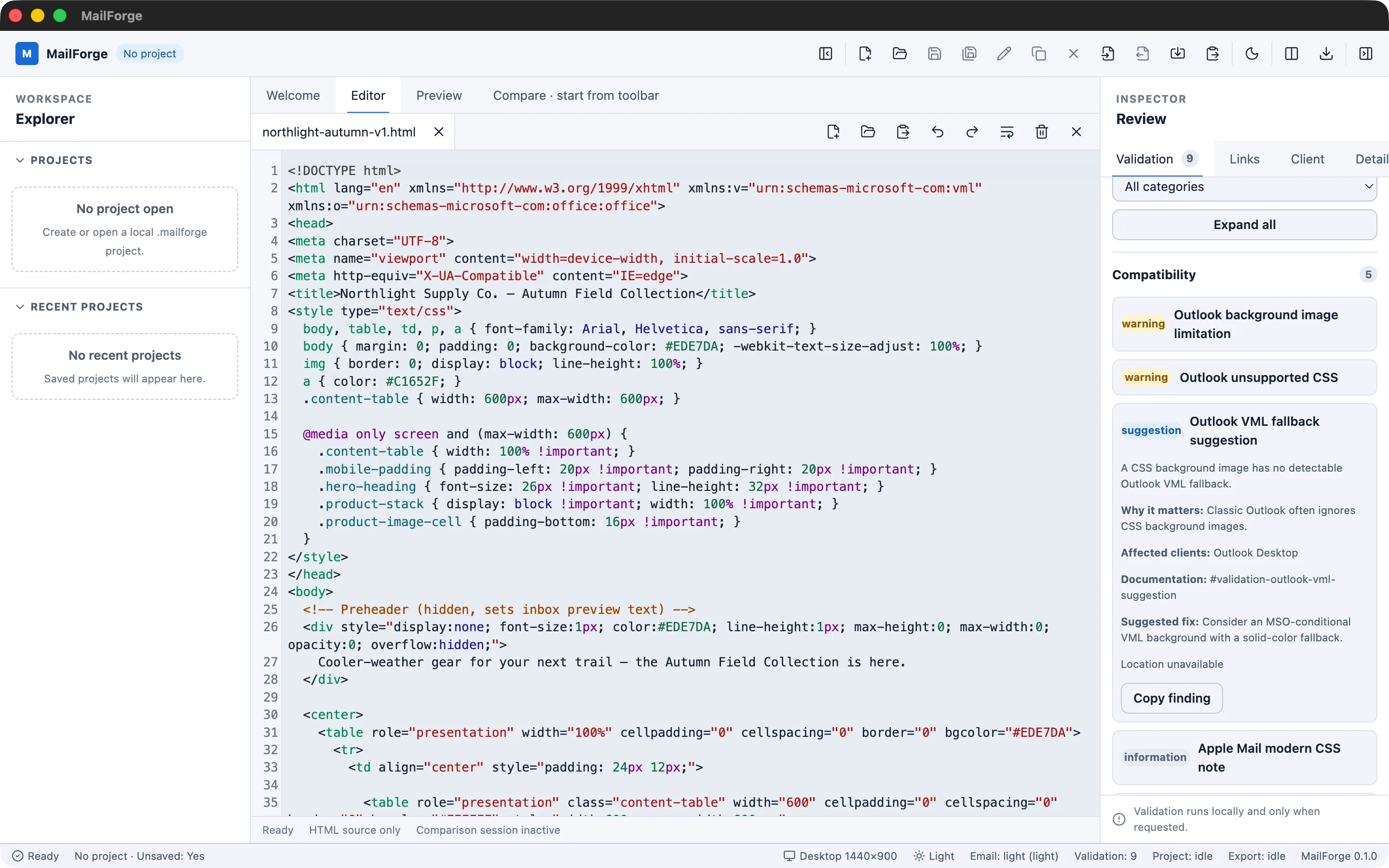
A validation engine built on a single shared parse5 HTML parse runs 36 generic rules, covering metadata, images, links, HTML/CSS, accessibility, performance, security, and structure, and reports results by severity (Error/Warning/Suggestion/Information) and category, rather than a pass/fail badge. A separate set of 14 compatibility rules maps findings against seven named client-guidance profiles (Gmail, Outlook Desktop, Outlook Web, Apple Mail, iPhone Mail, Yahoo Mail, Thunderbird). This guidance is based on documented rendering behavior for each client, not live emulation; MailForge does not test inside an actual inbox.
Links and assets
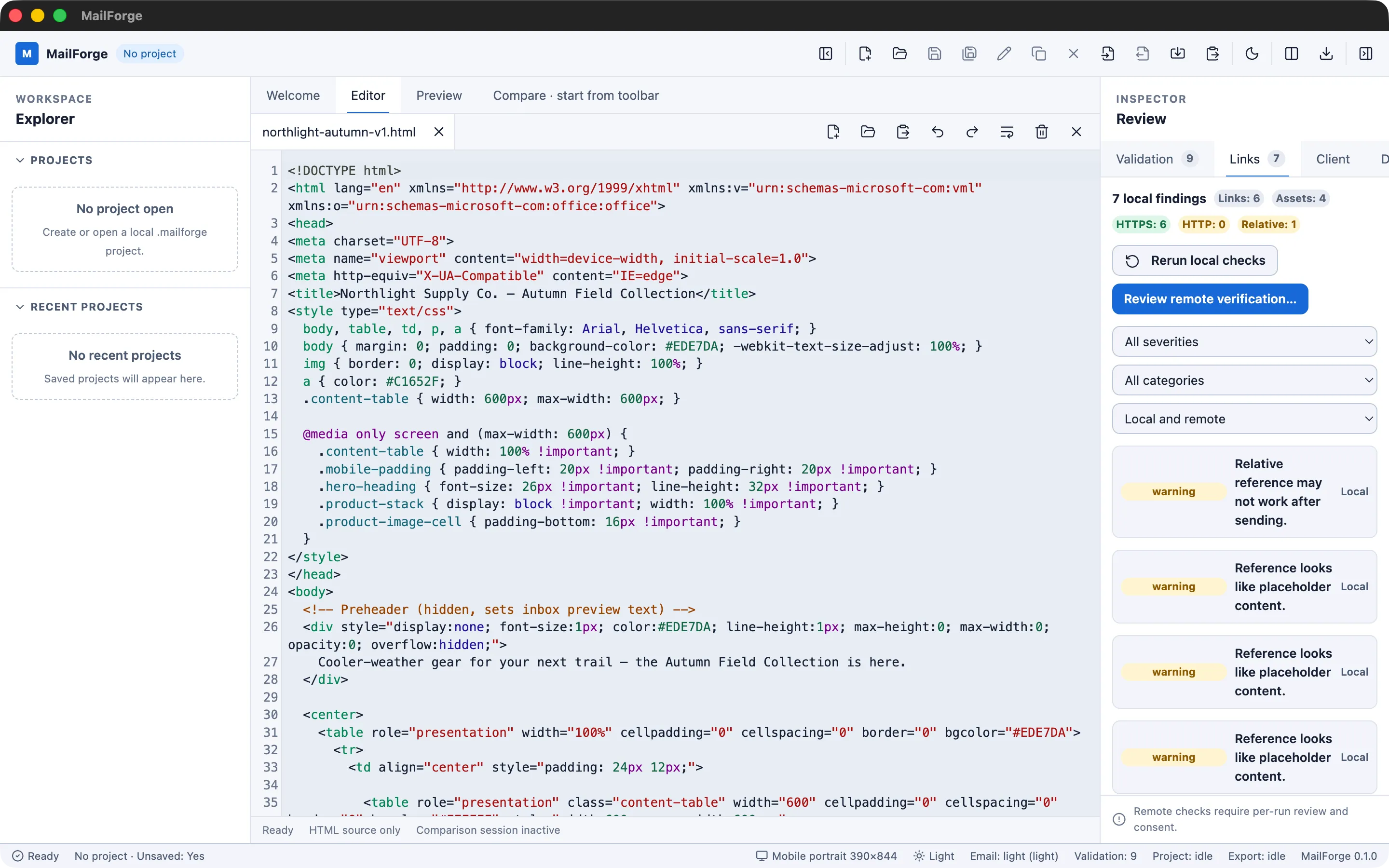
A Links & Assets inspector extracts every link and asset reference from the document, including srcset and CSS url()/@import, and classifies each one locally (empty, relative, insecure, dangerous, placeholder, fragment, credential-bearing, oversized data URL, or CID reference) without any network activity. Verifying a link’s live status is a separate, opt-in step: a per-run consent screen names the destination before anything leaves the machine, protections against private/local/reserved addresses apply to every request and redirect, and consent is never persisted between runs.
Comparing versions
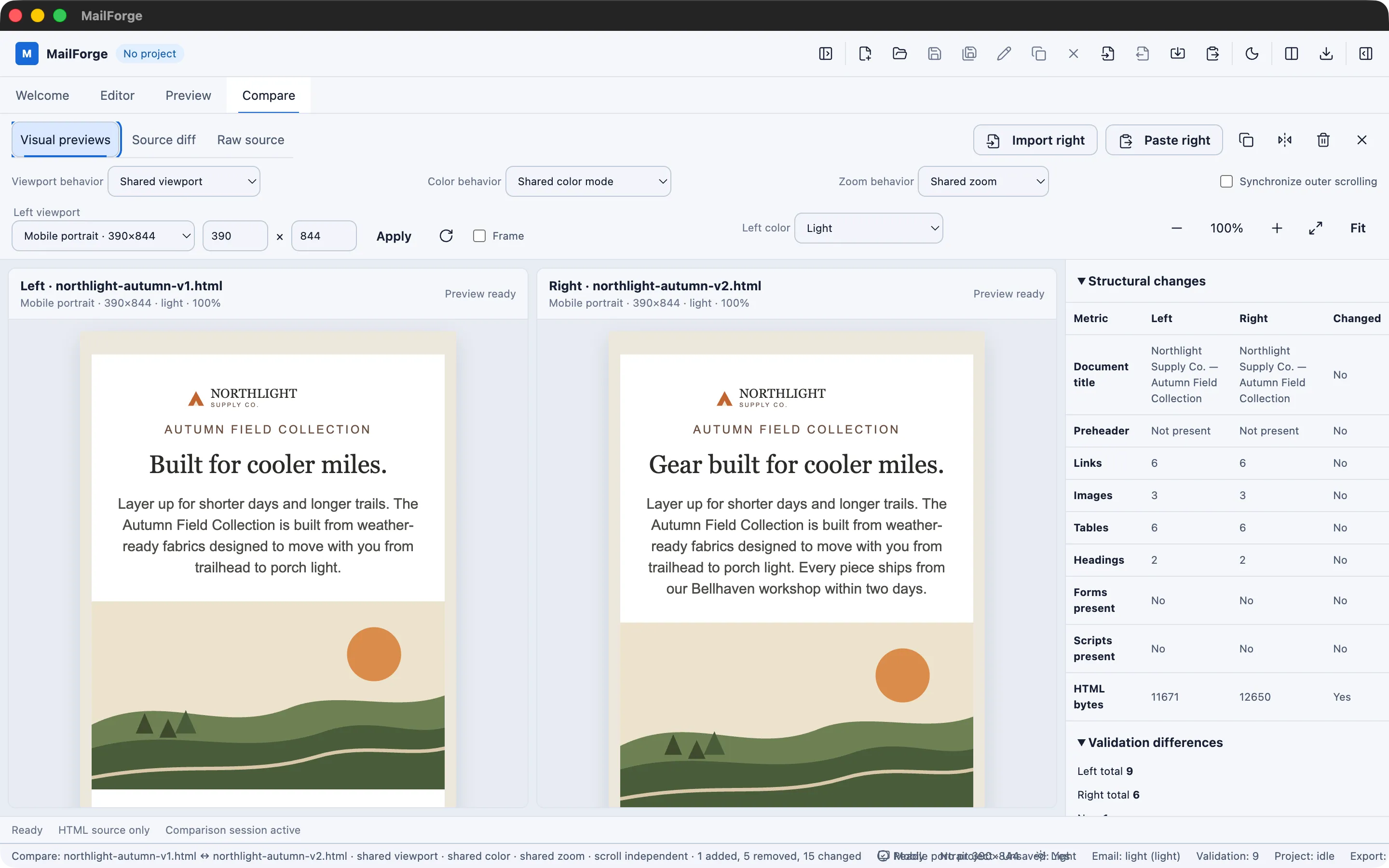
Comparison mode loads two versions of a document side by side, with a source diff (unified or two-column, with a whitespace-ignore option), a structural comparison, and a validation/compatibility difference summary, useful for confirming that a revision actually fixed what it was supposed to fix.
Exporting evidence
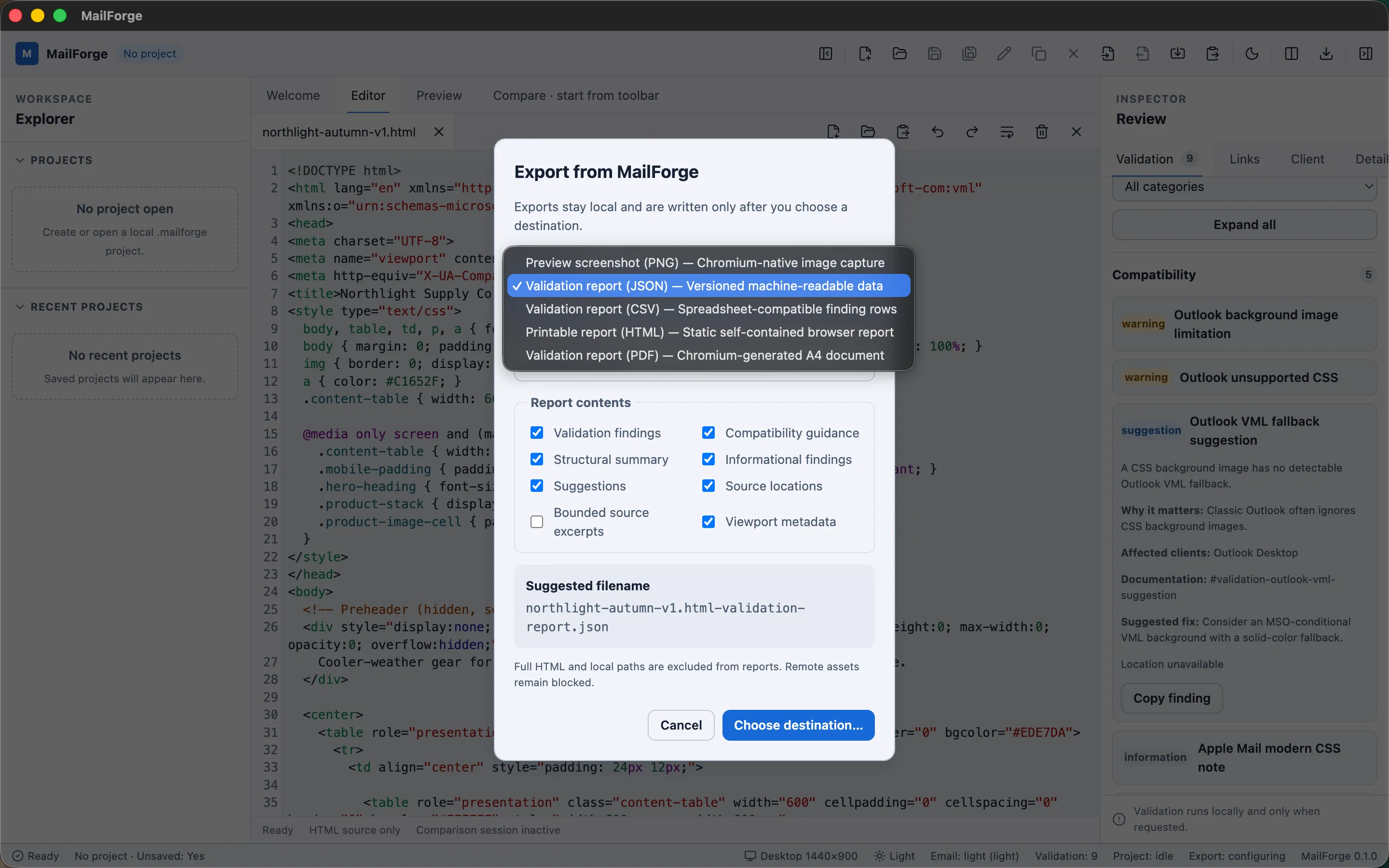
Findings and previews can be exported locally in five formats (PNG, JSON, CSV, printable HTML, and PDF), a way of turning an on-screen QA pass into something that can be handed off or filed, without any of it leaving the local machine.
Privacy and architecture
MailForge makes no network request during normal use, enforced by a production content-security policy (connect-src 'none'), not just a policy statement. The only network-capable feature is the opt-in link/asset verification described above. The application is split into four boundaries (main, preload, renderer, shared), with a narrow, fully enumerated, typed IPC surface (no generic ipcRenderer exposure) and Zod-validated payloads at every process boundary. Local project files (.mailforge) are versioned JSON with a migration pipeline and atomic, owner-only-permission writes. It’s built with Electron, React, and strict TypeScript, using Vite for the renderer bundle and Zustand for transient interface state.
Testing and current status
281 automated tests across 45 test files pass as of 2026-08-08, alongside passing formatting, linting, and strict type-checking, with CI packaging verified on macOS, Windows, and Ubuntu. MailForge 0.1.0 is complete and in personal local use. Public distribution (code signing, notarization, and full Windows/Linux GUI verification) is a scope decision the project has deliberately deferred, not a gap in the work.
All screenshots below use a fictional fixture email (“Northlight Supply Co., Autumn Field Collection”) created specifically for this portfolio. No real project content, client data, or unreleased material appears anywhere in MailForge itself.
Additional interface evidence
Additional product evidence
Known Limitations
- Single active document at a time: no multi-document workspace.
- No autosave or crash recovery (an explicit MVP scope decision, not an oversight).
- Compatibility guidance is heuristic, based on documented client rendering behavior, not live emulation or testing inside Gmail, Outlook, Apple Mail, or any real inbox.
- Remote preview resources (images, fonts, stylesheets) are blocked by default, so an email relying on remote assets can look different than it would in a real inbox.
- Public distribution (code signing, notarization, and Windows/Linux GUI verification) is intentionally deferred by the owner, not a defect.
Outcome
Completed a functional local-use MVP: a privacy-aware architecture, 281 automated tests (verified 2026-08-08), and repeatable QA workflows spanning responsive preview, validation, compatibility guidance, comparison, and export. Used a fictional fixture ("Northlight Supply Co.") to produce these public-safe portfolio screenshots without exposing any real project content.