Content Operations Dashboard
Scope
A responsive browser application for coordinating fictional multi-market campaigns from intake through publishing, with explicit QA and launch-readiness controls.
Role
I independently defined the product model and built the application end to end, including its domain logic, accessible responsive interfaces, browser-local persistence, automated validation, release hardening, and production deployment.
Interface evidence
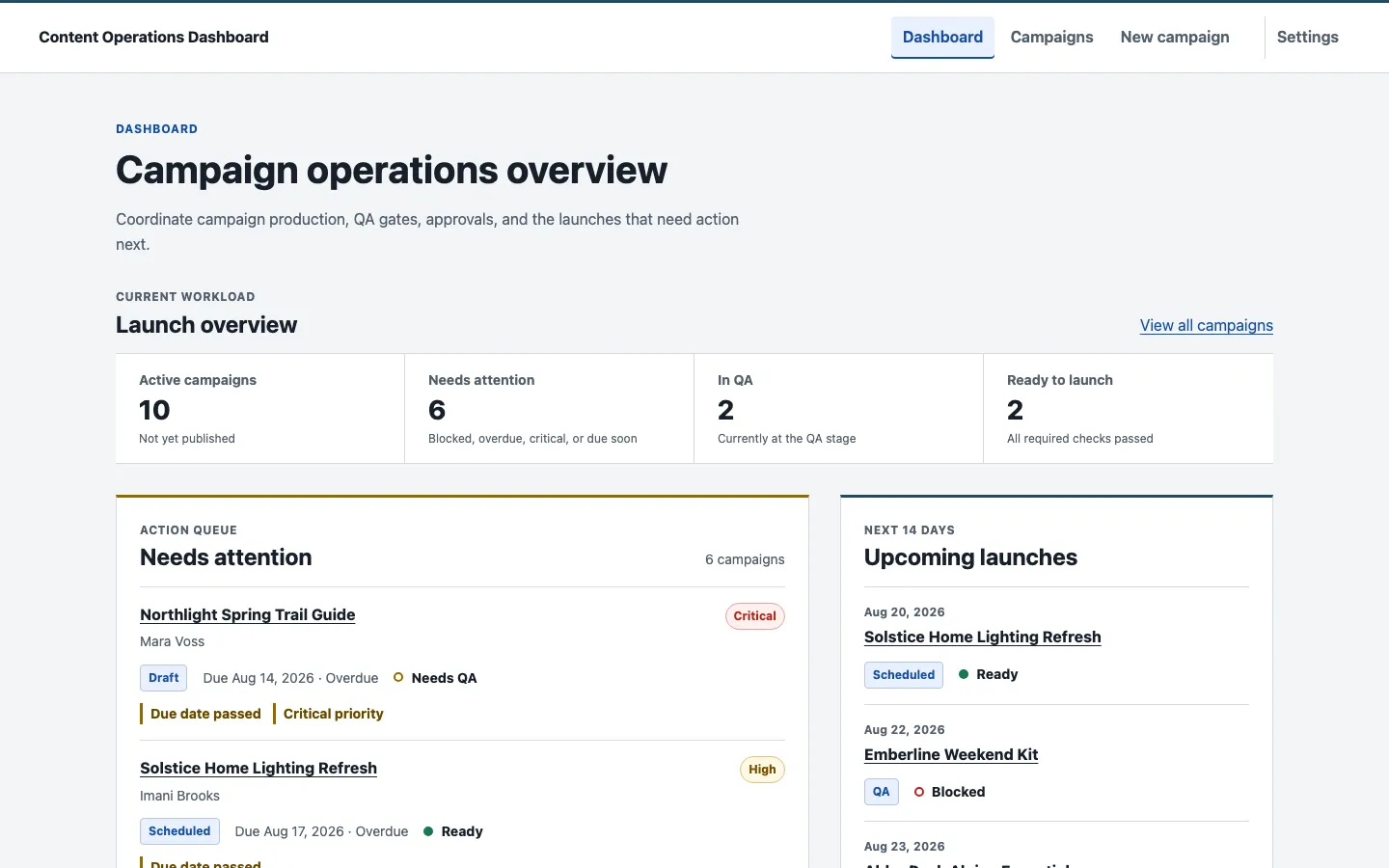
Content Operations Dashboard is a working campaign-production application for web producers and content operations teams. It brings campaign intake, publishing stages, QA gates, blockers, market context, and release timing into one operational view instead of treating the work as a generic list of records.
Open the live Content Operations Dashboard
Context and problem
Campaign teams often track workflow stage, launch dates, QA, and blocking issues in different places. That fragmentation makes a simple question—“Is this campaign actually ready to launch?”—harder to answer than it should be. A campaign can be approved but still need QA, scheduled but blocked, or published with unresolved quality findings. The interface needed to preserve those distinctions rather than flatten them into one status.
Product goal
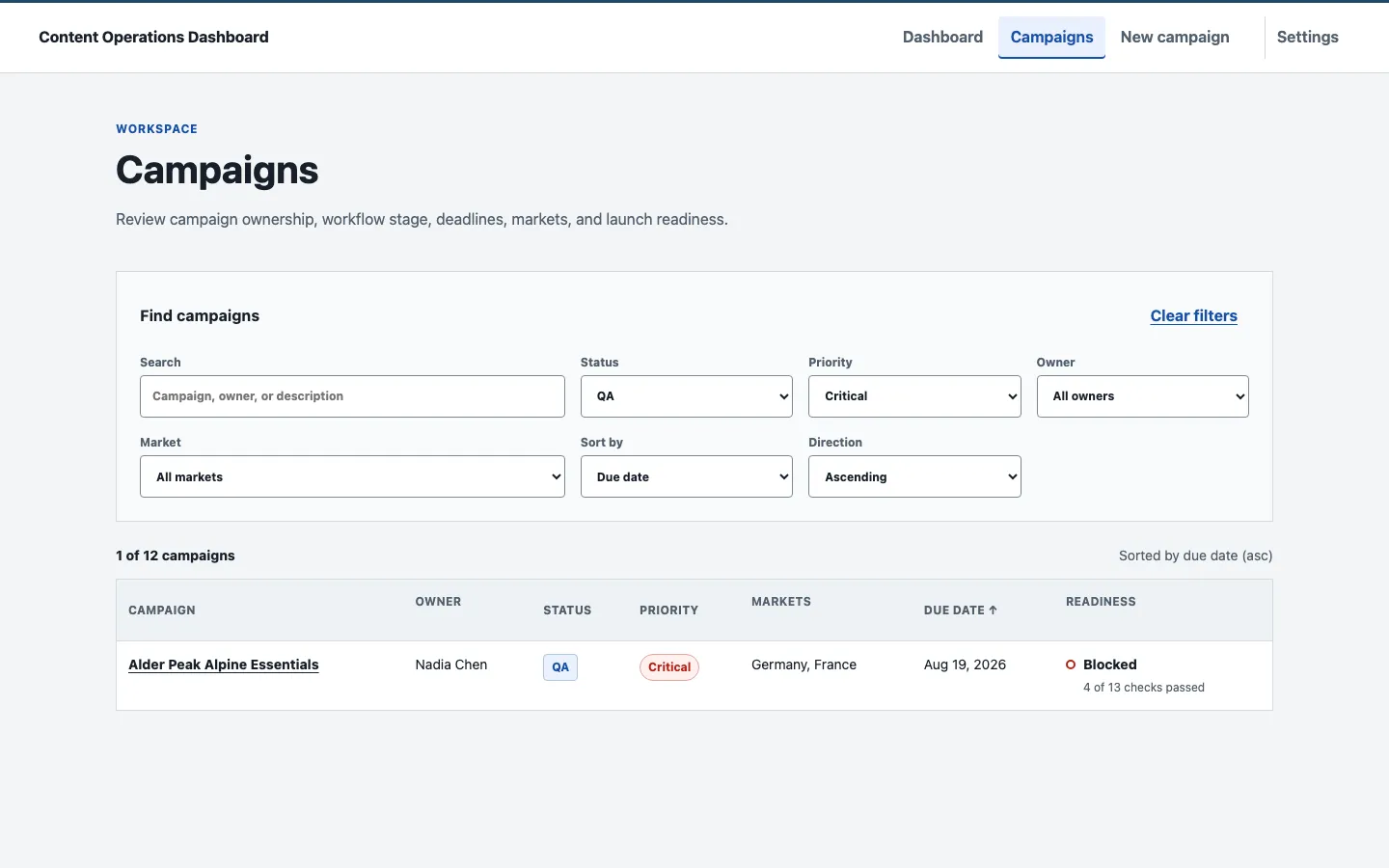
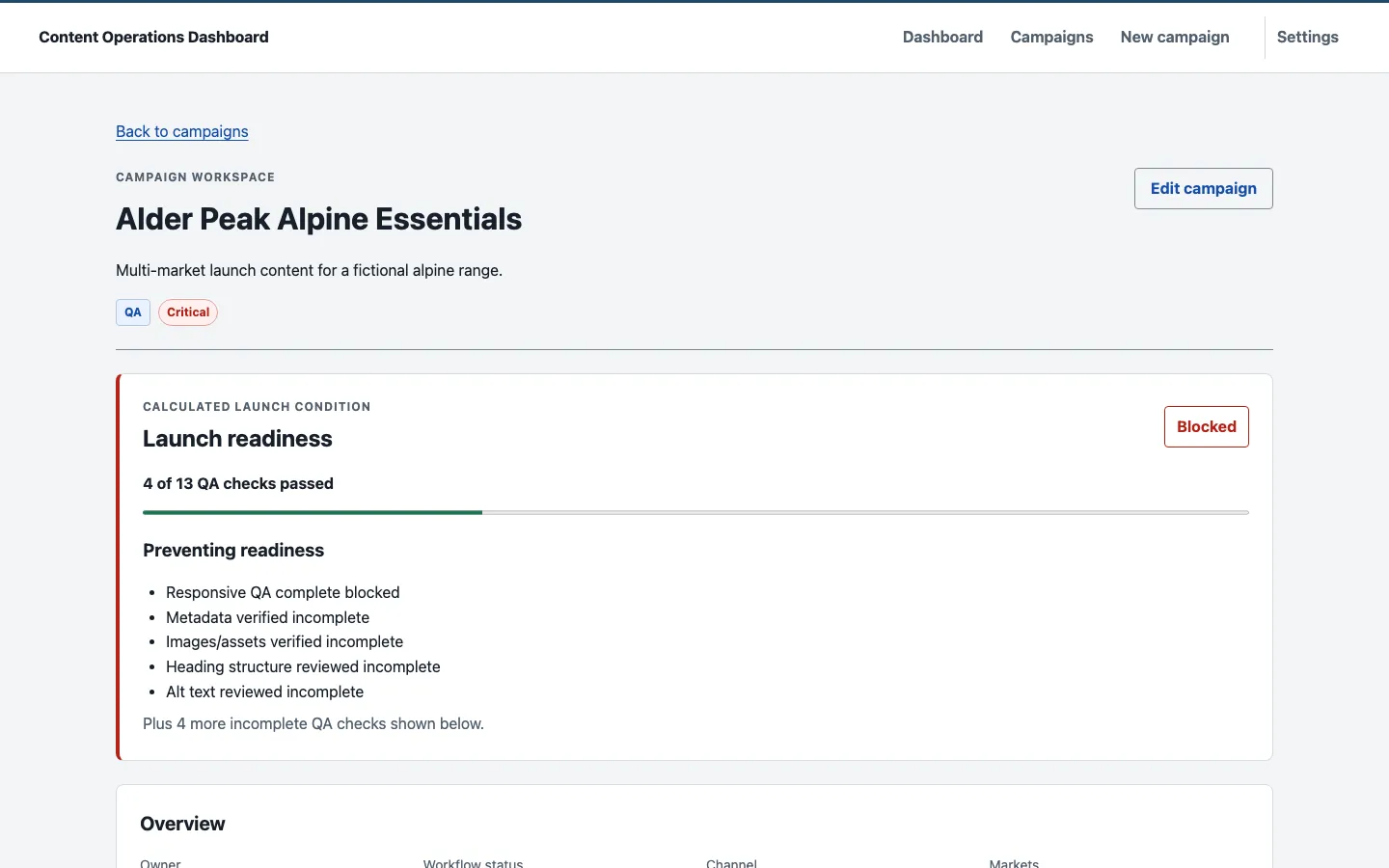
The product is designed to make operational truth visible quickly. The dashboard surfaces active workload, campaigns needing attention, and upcoming launches. The Campaigns workspace adds search, combined filters, stable sorting, and URL-backed state. A campaign detail view then connects workflow metadata to 13 structured QA checks, launch-readiness reasons, open and resolved blockers, and notes.
My role
I owned the project from product definition through production verification. That included the domain and form models, interface architecture, React implementation, accessible interaction patterns, responsive layouts, browser persistence, automated test strategy, release hardening, Git/Vercel deployment, and production smoke testing. All campaigns, people, brands, and operational scenarios are fictional and were created for the demonstration dataset.
Key workflows
- Operational triage: derived dashboard metrics and a Needs Attention queue surface overdue work, critical campaigns, blocked QA, unresolved blockers, and near-term launches that are not ready.
- Campaign planning: create and edit flows validate ownership, workflow stage, channel, markets, due and launch dates, notes, and cross-field chronology before persistence.
- Launch readiness: workflow status remains explicitly managed while readiness is calculated from QA progress and unresolved blockers; the interface explains why a campaign is Blocked, Needs QA, In Progress, or Ready.
- QA and blockers: 13 checks are grouped across Content, Web QA, Accessibility, and Launch. Each update, blocker creation, and blocker resolution persists before application state commits.
- Recovery: Settings can restore the deterministic 12-campaign demo dataset after explicit confirmation, including recovery from corrupt browser storage.
Technical implementation
The application uses React 19, strict TypeScript 6, React Router 7, Vite 8, Zod 4, and date-fns 4. Domain rules and immutable mutation helpers sit outside React components. Zod validates form input and persisted data at runtime, while branded calendar-date and instant types keep date-only values separate from timestamps.
Campaign data flows through a typed repository boundary over localStorage. Mutations follow a derive → persist → commit sequence, so a failed write cannot create false success in the interface. Readiness, attention queues, completion, overdue state, filtering, and sorting are derived rather than stored as redundant values. Search and filter state lives in the URL, which makes a working list view shareable and reload-safe without mixing it into campaign data.
QA and release strategy
The release is backed by 140 Vitest unit and component tests and 26 Chromium Playwright tests. The test surface covers domain invariants, form validation, storage failures and recovery, transactional mutations, route focus, keyboard behavior, automated axe checks, responsive layouts, and full campaign workflows. A focused production-build smoke suite also ran in Chromium, Firefox, and WebKit.
Release verification included clean-install reproducibility, production bundle review, deep-route and refresh behavior, static-asset delivery, local persistence on the production origin, and real create/edit/QA/blocker/reset workflows. Final production verification recorded zero application console errors, page errors, failed application resources, or unexpected external application requests.
Responsive and accessibility considerations
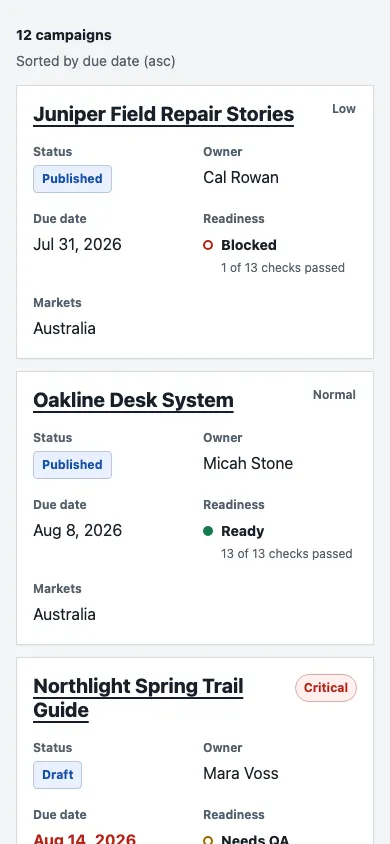
The Campaigns workspace uses a real table on desktop and an equivalent card representation below the established breakpoint, with only one representation visible and focusable at a time. Forms retain visible labels, native controls, grouped market checkboxes, linked inline errors, and a focused validation summary. QA uses named native selects; reset uses a native dialog with deliberate initial and restored focus; workflow mutations share concise live-region feedback.
The interface was audited at desktop, tablet, 390px, and 320px widths, including long-content and 200% text-size approximations. Automated axe checks, semantic review, and keyboard testing support the accessibility work, but they are not a formal WCAG certification or a substitute for a manual screen-reader pass.
Production deployment
The static Vite application is deployed on Vercel with a tested SPA fallback for direct and refreshed routes. The public demo requires no account and sends no campaign data to a backend; each visitor receives an isolated browser-local demo state that can be restored from Settings. The source repository is private, so the case study links only to the public production application rather than presenting a broken repository action.
What this demonstrates
This project demonstrates how I translate web-production concerns into a focused product: explicit workflow stages, governed QA, concrete launch-readiness reasons, safe operational mutations, multi-market context, responsive interfaces, and disciplined release evidence. The result is not a generic CRUD dashboard; it is a working model of the decisions a content operations team needs to make before publishing.
Additional interface evidence
Known Limitations
- Campaign data is stored locally in one browser; the demo has no backend, authentication, cloud sync, or collaboration layer.
- Workflow status is intentionally user-managed while launch readiness is derived from QA and blockers; the application does not automate status changes.
- Accessibility work includes semantic review, keyboard testing, axe automation, focus management, and responsive audits, but not formal certification; a manual VoiceOver smoke remains pending.
Outcome
Deployed a public Vercel demo backed by 140 Vitest tests, 26 Chromium Playwright tests, targeted Chromium/Firefox/WebKit smoke coverage, and final production verification with zero application console errors.